Author

trainingnameinfo

Retailers and distributors need more than a list of aquarium products. Their supply priorities differ by business model, sales volume, and service area. An independent shop may need flexible mixed orders and shelf-ready packaging, while a regional distributor needs a broader range, predictable replenishment, and clear information about product updates.

Buyers comparing aquarium suppliers should consider stock turnover as well as product selection. Heaters, lighting, filters, filter media, and accessories can support different customer needs, but buyers should assess each category against sales records and local demand before expanding inventory.


For Independent Retail Stores

A brick-and-mortar aquarium shop usually serves customers with different tank sizes, budgets, and experience levels. The owner may need small quantities across several categories rather than large volumes of one model. Ask whether mixed-SKU orders are available, whether minimum quantities apply to each model, and how quickly popular items can be replenished.

Retail packaging affects daily operations. Colour boxes, readable specifications, barcodes, and clear instructions help staff organize shelves. Check carton dimensions, language options, and whether packaging can suit the local market.


For Regional Distributors

A regional distributor supplying multiple local pet shops has a different challenge: maintaining a dependable range across several customers. Sourcing heaters, lights, filters, and filter media from one manufacturer can simplify the supply chain and reduce the time spent coordinating with multiple vendors. It can also make product information and order planning easier to manage.

Distributors should review product categories, model consistency, replenishment times, carton quantities, and shipping arrangements. Ask how stock changes and discontinued models are communicated. The company shares its new product roadmap with long-term wholesale partners, helping them plan category expansion and discuss upcoming items with retail accounts.


One Product Range Can Simplify Purchasing

A balanced aquarium assortment may include heaters, lighting, filters, filter media, and accessories. Buyers should compare specifications, applications, packaging, and after-sales requirements instead of selecting products by catalog size alone.

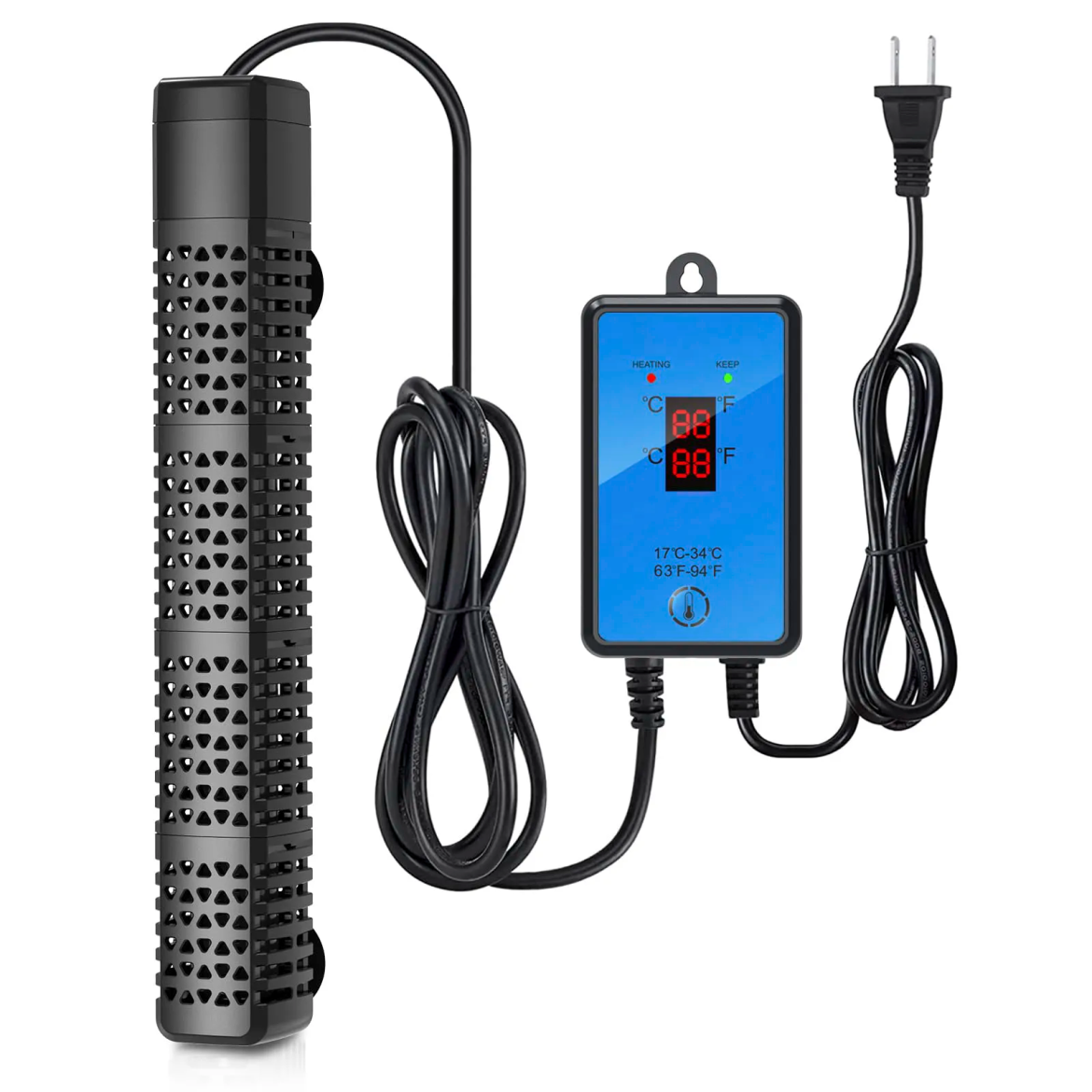
The AP03 aquarium heater is available in 300W and 500W options. Its listed features include automatic heating shutoff when removed from water and an advanced temperature control system. It is described for freshwater and saltwater aquariums. Buyers should confirm each model’s specifications and recommended tank capacity before placing an order.

Another listed option is a 300W quartz-glass heater for 40–75-gallon tanks, with an adjustable temperature range of 63–94°F (17–34°C). The details illustrate why model-level information matters: wattage alone is not enough to determine suitability. Retailers and distributors should use verified capacity guidance in product listings and sales materials.


Manage Inventory and Slow-Moving Stock

A broad catalog can create stock pressure when buyers order too many models before demand is clear. Start with products supported by customer requests and sales history. Track stock, units sold, returns, and replenishment time to guide reorders.

Before committing, ask how the supplier handles damaged goods, missing accessories, warranty claims, and discontinued products. Do not assume unsold stock can be exchanged. If a stock rotation or exchange arrangement is important, request the policy in writing and confirm any conditions, fees, or time limits.


Customization Should Match the Business Stage

Retailers may prefer standard products with existing packaging, while brands may need logo printing, translated instructions, or customized cartons. Larger OEM or ODM projects can involve design changes, sample approval, and additional production steps. Quote these separately from standard-stock orders.

The HiTauing OEM/ODM website describes services covering product selection, requirement discussion, prototype development, testing, mass production, and delivery coordination. Buyers should confirm which services apply to each category, along with MOQ, sample costs, packaging setup, and lead time. Clear terms help businesses compare a standard order with a private-label project without assuming both follow the same schedule.


Plan for New Products and Repeat Orders

Product updates can affect the range a distributor offers to local shops. Long-term wholesale partners need timely product roadmap information to plan category expansion and discuss upcoming items with retail accounts.

Keep approved specifications, packaging artwork, model numbers, and sample records for repeat orders. After each delivery, review completeness, packaging condition, timing, and customer feedback. Use these records to decide whether a product should be reordered, adjusted, or removed.


Choose Supply Terms That Fit Your Business

When comparing aquarium suppliers, assess the breadth of the range, mixed-order options, regional replenishment arrangements, product documentation, and communication about changes. An independent shop may prioritize smaller mixed orders and retail-ready packaging, while a distributor may focus on consistent supply across many accounts.

A fish aquarium supply store should match products to customer needs, shelf space, and sales history. Before ordering, clarify MOQ, lead time, packaging, after-sales procedures, and any stock exchange terms.


Discuss Your Wholesale Requirements

Distributors planning category expansion should review product specifications and discuss upcoming product plans with their suppliers before placing larger orders.

A clear supply plan starts with business scale and target customers. Share product categories, expected volumes, sales region, packaging needs, and expansion plans so the supplier can recommend a suitable assortment.

Businesses can talk to our team to discuss their business scale, target region, and product mix. The team can recommend suitable wholesale product packages based on these requirements.


0 comment
0 FacebookTwitterPinterestEmail

Selecting a smart board vendor involves more than comparing screen sizes and purchase prices. Schools, meeting rooms, and corporate training spaces have different requirements. Buyers need to consider display quality, touch response, software compatibility, collaboration features, installation conditions, and after-sales support. A suitable shortlist helps procurement teams compare products against real working needs rather than relying on feature lists alone. For organizations exploring interactive display solutions, Nework smart board products offer features such as touch interaction, wireless screen sharing, collaborative annotation, and smart management. Nework focuses on smart meeting displays and enterprise collaboration solutions, drawing on more than 20 years of professional AV industry experience. Buyers can visit its official website to review available solutions and discuss which configurations fit their intended environments. Start With the Display Requirements The right screen size depends on viewing distance, room dimensions, and the number of participants. A display for a small meeting room has different requirements from one used in a large training room. Buyers should assess seating arrangements and viewing angles before choosing a model. Resolution also matters. Text-heavy presentations, spreadsheets, diagrams, and detailed teaching materials require clear visual reproduction. Procurement teams should review panel resolution and image quality against the content that users handle every day. Touch performance affects how naturally people interact with displayed content. Teachers may write notes over lesson materials, while business teams may move objects, mark up documents, or navigate presentations during discussions. During product demonstrations, users should test writing accuracy, response speed, palm rejection where applicable, and multi-touch performance. They should also check whether the interface remains comfortable during extended sessions. These practical tests reveal differences that specification sheets may not explain fully. Check Whether Collaboration Tools Fit Daily Work Wireless screen sharing allows participants to present content without repeatedly connecting cables. However, buyers should check compatibility with the laptops, tablets, operating systems, and conferencing equipment already used by their organization. A vendor demonstration should cover the connection process from the participant’s perspective. Consider how users join a session, switch presenters, and handle multiple shared screens. IT teams should also review network requirements and access controls before approving the feature for wider deployment. Annotation tools are useful when teams need to discuss information directly on the display. Participants can highlight key figures, mark up diagrams, and record decisions while reviewing a proposal. In education, teachers can annotate learning materials as students follow the explanation. The shortlist should distinguish between basic on-screen writing and tools that support an organized collaborative workflow. Buyers should ask whether annotations can be saved, exported, or shared after a session. These details influence how easily teams can continue their work once the meeting ends. Review Software Compatibility and Device Management A smart display must fit the organization’s existing software environment. Procurement teams should identify the applications required for presentations, video meetings, document access, and classroom activities before comparing vendors. They should also ask how device settings, software updates, user permissions, and troubleshooting are handled. Centralized management can simplify administration across several rooms, but its value depends on the functions supported by the selected system. Written confirmation helps IT teams distinguish available features from optional services or future development plans. Compatibility checks should include the equipment already installed in meeting rooms. Existing cameras, microphones, speakers, and conferencing platforms may influence the final configuration. Buyers should confirm whether additional hardware, software licenses, or adapters are required. When reviewing Nework smart board options, procurement teams can assess touch interaction, wireless screen sharing, collaborative annotation, and smart management against these requirements. The exact functions and compatibility should be confirmed for the proposed model rather than assumed across the entire product range. Calculate Installation and Ownership Costs The quoted equipment price rarely represents the full project cost. Installation may involve wall reinforcement, mounting brackets, power outlets, network connections, cable routing, and adjustments to room furniture. Large deployments may also require staff training and coordination with existing audiovisual systems. Buyers should request an itemized quotation that separates hardware, installation, accessories, software, and ongoing service charges. This makes vendor comparisons more consistent and reduces the risk of overlooking additional expenses during approval. Procurement teams should also consider how the display will be used over time. A device installed in a shared meeting room may require different maintenance arrangements from one used throughout the school day. Cleaning procedures, software updates, and access to replacement components can all affect operational planning. For multi-room projects, buyers should confirm installation schedules and responsibilities before signing the purchase agreement. They should establish who prepares each room, who configures the devices, and who tests the completed installation. Clear responsibilities can reduce delays when several departments or contractors are involved. Assess Technical Support and Warranty Terms After-sales support affects how quickly an organization can resolve equipment problems. Buyers should ask how support requests are submitted, which service channels are available, and whether remote troubleshooting is offered. It is also useful to clarify service hours, expected response procedures, escalation contacts, and the process for handling hardware faults. These details should be documented rather than assumed from general service descriptions. For schools and businesses with several displays, a clear support process can reduce uncertainty when equipment becomes unavailable. Staff training also influences whether users can take advantage of the display’s functions. Practical sessions can cover wireless sharing, annotation, meeting controls, and basic troubleshooting. Administrators may need separate guidance on device configuration and access management. Buyers should ask about software update policies, maintenance requirements, spare parts, and warranty exclusions. If displays will operate across multiple locations, they should check whether the vendor can provide consistent documentation and support arrangements. These answers help procurement teams estimate long-term ownership requirements more accurately. Use Consistent Tests to Rank Vendors A useful vendor shortlist connects each requirement to a test or written confirmation. Procurement teams can create a comparison sheet covering display specifications, touch performance, sharing options, software compatibility, installation costs, warranty terms, and support arrangements. Each vendor should receive the same questions and demonstration tasks. For example, ask every supplier to demonstrate screen sharing, annotate a document, save the session output, and explain how administrators manage devices. Record the results instead of relying on general impressions from presentations. The Nework smart board range can be assessed through this process alongside other interactive display options. Buyers should confirm the available functions, supported software, and proposed configuration before comparing the results with competing products. A practical scoring system can assign greater weight to requirements that directly affect daily operations. For example, an organization that frequently hosts hybrid meetings may prioritize conferencing compatibility, while a school may focus on touch response, classroom usability, and staff training. The scoring criteria should reflect actual needs rather than giving every specification equal importance. Make the Final Decision With Clear Priorities A sound procurement decision balances daily usability, technical compatibility, project costs, and ongoing support. Display specifications matter, but they should be assessed alongside the workflows and infrastructure of the intended environment. Before placing an order, procurement teams should document the reasons for selecting each shortlisted vendor and resolve outstanding technical questions. This creates a transparent basis for approval and helps stakeholders understand the trade-offs involved. A structured comparison also gives organizations a clearer reference point when planning future interactive display purchases.

by trainingnameinfo

School districts rarely choose interactive displays for a single classroom in isolation. A vendor shortlist needs to reflect curriculum goals, IT policies, staff training, device management, and the way teachers share learning materials. A clear review process helps procurement teams compare products on practical fit rather than on features that may not be used.

Nework develops smart whiteboards for education and collaboration, with a display platform designed around interactive teaching and shared work. District teams reviewing its NewBoard E series for education can visit the company’s website to examine product information alongside their classroom and IT requirements.


Start With Classroom Use Cases

Before comparing vendors, districts should describe how the display will be used during a normal school day. A primary classroom may need quick annotation and visual explanations, while a secondary classroom may rely on presentations, group exercises, and subject-specific apps. These differences help procurement teams separate essential functions from optional ones.

Ask teachers to identify tasks that currently take extra steps. They may need to open lesson files, write over slides, display student work, or save notes for a later class. A shortlist should show how each vendor supports those tasks in a live demonstration, not just on a feature sheet.


Check the Operating System and App Access

The operating system affects app access, updates, and the district’s preferred teaching workflow. The display runs Android 14 with Google EDLA, according to the product information. During evaluation, IT staff should confirm available account options, app access, update arrangements, and compatibility with district policies.

The shortlist should list the software teachers actually use. Procurement teams can test Microsoft Office, Google Workspace, Zoom, and Kahoot!, which are named among the supported services. Staff should confirm that sign-in, content opening, and classroom use work as expected under the district’s network and account settings.

Some schools may require a Windows-based environment for specific desktop applications. Ask whether optional Windows OPS support is available and identify any additional hardware, licensing, or setup required. Keep these needs separate from the standard Android configuration so vendors are compared on the same basis.


Evaluate Interactive Teaching and Sharing

A demonstration should include more than opening a presentation. Teachers can write on the board, move between lesson materials, invite students to contribute, and check whether the interface remains manageable during a busy class. These practical tasks reveal more than a static specification sheet.

Collaborative work also needs a clear process for saving and sharing ideas. The platform includes a built-in whiteboard and supports online whiteboarding apps. District evaluators should test how a session is saved, how notes are shared afterward, and whether colleagues who were not in the room can use the resulting files.

Ask vendors to demonstrate wireless sharing with devices already used by teachers. Check how the connection begins, what happens when a presenter changes, and whether participants can view or contribute without interrupting the lesson. These checks are useful for training sessions and team planning, where several people may contribute in sequence.


Review IT, Privacy, and Support Requirements

A school-district purchase must fit the district’s IT and privacy rules. Request documentation on network requirements, account management, software updates, data handling, and administrative controls. Requirements vary, so IT and privacy staff should review written answers rather than rely on assumptions based on a product description.

Confirm how installation and ongoing support will work. Ask who handles setup, what training materials are provided, how support requests are submitted, and who troubleshoots network or application issues. Record support arrangements in procurement documents instead of relying on informal statements made during a sales call.

Staff adoption deserves attention, too. A technically suitable display can still be underused if common tasks are difficult to learn. Include a short hands-on session with teachers from different grade levels, then collect feedback on navigation, writing, sharing, and lesson preparation. This can guide training after deployment.


Compare the Whole Cost of Ownership

Purchase price is only one part of the decision. Compare the quoted configuration, optional components, installation, staff training, warranty terms, support arrangements, and expected replacement needs. Where vendors quote different bundles, normalize the comparison so a basic package is not placed beside one with extra hardware and services.

Check the number of rooms, expected usage, and rollout schedule before requesting final quotes. A district deploying displays across several schools may need staged delivery and a repeatable installation process. Ask vendors to explain what is included in the quoted scope and which costs depend on local conditions or selected options.

Nework reports that 25,000+ professional teams use its smart whiteboards. District buyers can treat this figure as background information while still requesting a demonstration, checking documentation, and gathering feedback from their own teachers and IT staff.


Make the Shortlist Evidence-Based

A useful vendor shortlist connects each requirement to a practical test. It should cover classroom tasks, app access, operating system, collaboration, IT review, support, and total cost. Score vendors against the same criteria, note unverified claims, and record follow-up questions before making a recommendation.

For teams considering the NewBoard E series for education, the next step is to compare its Android 14 and Google EDLA platform, optional Windows OPS support, and collaboration functions against district needs. A structured review gives procurement staff a defensible basis for discussion and helps schools select equipment that fits their teaching practices and technical environment.


0 comment
0 FacebookTwitterPinterestEmail

A sofa that sells well in one market may be the wrong size, color, or packaging format for another. Retailers learn these differences through store visits, customer feedback, and sales data. A factory can respond only when that information becomes a usable product brief. The path from local demand to production is therefore a central part of how Chinese furniture factories support global retail networks.


That path can include several furniture categories. A retailer may coordinate a mattress with a bed, or adjust a sofa’s fabric to suit a regional collection. Product development, sampling, quality control, and export need to carry the same decisions forward. Broad factory capacity matters less when the market request is lost between those stages.


Translate Retail Feedback Into Specifications

“Customers prefer softer beds” is a useful observation but not yet an order specification. A retailer can describe the target feel, preferred height, required size range, cover appearance, and price position. Samples can then test whether the proposed construction delivers the desired difference. Similar discipline applies to sofas, beds, and matching furniture, where dimensions, colors, and finishes may vary by market.


The brief should distinguish fixed brand elements from variables. A retailer may keep the same logo and visual identity while changing mattress firmness or sofa fabric. Packaging can also differ if one market sells through showrooms and another through e-commerce delivery. When these decisions are documented, the manufacturer can estimate materials and production steps without guessing at the intended product.


The phrase bed mattress manufacturer China may appear in sourcing searches, but the useful relationship starts when a buyer can explain what the local customer needs. The factory can then connect that need to concrete construction and sampling choices. Without that translation, customization becomes a list of options rather than a reasoned response to a market.


A store can compare which firmness descriptions shoppers understand, which mattress heights fit local bed frames, or which sofa colors draw interest. The factory does not need the full sales database, but it does need a clear design target and an agreed measure of success. A buyer can separate an observed customer preference from a hypothesis that still needs a sample trial.


Carry the Brief Through Development and Production

Factory development teams may adapt an existing model or work from a new design. Material selection, size, style, color, branding, and packaging changes can affect one another. A thicker mattress may need a different bed presentation; a revised sofa cover may change packing protection. A mattress manufacturer should present the complete proposed version, not a sample that reflects only one changed component.


Suisin Furniture supplies mattresses, beds, sofas, and matching furniture from Foshan through an integrated design-to-production operation. It describes OEM and ODM work that can adapt size, materials, colors, styles, branding, and packaging for retail and private-label customers. These are the tools a retailer can use to turn regional feedback into a product brief, subject to sample approval and a confirmed order specification.


The company states that its production base covers about 200,000 m² and that it exports to more than 60 countries. Those are measures of stated scale and reach, not proof that one proposed model will fit every local market. The retailer still needs to check dimensions, feel, appearance, labels, and carton form against its own channel and destination.


Verify What Leaves the Factory

Quality control should preserve the approved design as production volume rises. Material selection, in-process checks, and finished-product inspection each catch different errors. An incorrect fabric may be noticed at intake; an assembly issue may appear only after production; a label or carton mismatch may be found at packing. Identifying the stage of a possible defect helps the buyer ask for relevant records.


Suisin Furniture says its quality process runs from material selection through finished products and that its service includes packaging and export support. For a retailer, the practical question is whether the inspection and shipping documents identify the right model version. A change requested for one region should not accidentally appear in stock intended for another.


Feedback must travel back as well as forward. Returns, delivery complaints, and customer descriptions of feel can indicate whether a design or packaging decision needs revision. The retailer and factory can discuss these observations using the approved specification as a reference. That prevents every complaint from becoming an undefined request for “better quality.”


If a retailer serves several regions, two visually similar cartons may contain different sizes or firmness levels. For a mattress manufacturer, model codes, labels, and order records must keep that distinction clear through packing and export. The buyer can then connect sales feedback to the correct version instead of asking the factory to change a product whose performance has been mixed with another model’s results.


For retailers using the phrase bed mattress manufacturer China, a productive factory relationship should provide a repeatable way to convert local demand into furniture that can be made and delivered consistently. Market insight sets the brief; development, production, inspection, and export carry it into stock. Local retail insight retains value when the furniture delivered still reflects the original requirement.


0 comment
0 FacebookTwitterPinterestEmail

Production delays become harder to manage when a machine fault is described only as “not cutting properly.” The same symptom may result from different causes, including optical contamination, gas supply changes, motion errors, or incorrect process settings. Clear records help technicians narrow the possibilities before visiting the workshop.


A structured laser cutting machine repair request should describe what happened, under which conditions, and how the problem affects current orders. Hymson Laser Machinery emphasizes reducing investment risks and supporting stable production, goals that depend partly on accurate communication between equipment users and service teams.


Describe the Symptoms With Specific Evidence

Useful fault descriptions focus on observable behavior rather than assumptions about the cause. Instead of reporting that the cutting head is defective, an operator can record that burrs appeared along one edge, piercing time increased, or the machine stopped during a particular operation. Photographs of sample parts, alarm messages, and short videos of the affected process may provide additional context. These details help technicians distinguish a consistent fault from an intermittent problem or a material-related variation.


The timing of the issue can be equally informative. Records should indicate whether the fault appeared immediately after startup, following a consumable change, during a long production run, or after switching to another material thickness. Operators should note whether the same program previously produced acceptable parts and whether the issue occurs across multiple jobs. Such comparisons help establish whether the problem is associated with a particular setup or appears to affect the machine more broadly.


Alarm codes and machine messages should be copied exactly, including the time they appeared and any subsequent changes in status. Screenshots are often more useful than a paraphrased description, especially if several alarms occur in sequence. During laser cutting machine repair, technicians can use this information to investigate the fault without relying solely on a general symptom report. Operators should avoid repeatedly resetting alarms or changing multiple parameters before recording the initial condition, since those actions may obscure useful evidence.


Record Machine Status and Recent Changes

Service teams need to understand the machine’s operating state when the problem occurs. Relevant information may include the machine model, serial number, software or controller version, operating hours if available, and the type of cutting head or auxiliary equipment installed. The material grade, thickness, cutting program, selected parameters, and assist gas should also be documented when relevant. Accurate identification reduces the risk of troubleshooting based on assumptions about a different configuration.


Recent changes can provide important clues. A new batch of sheet material, replacement nozzle, software update, revised cutting file, or adjustment to the gas supply may coincide with the first occurrence of a fault. Recording what changed and when helps technicians assess possible connections without prematurely assigning blame to one component. If no changes were made, that information is useful too, particularly when the machine had been operating consistently beforehand.


Maintenance history adds another layer of context. Previous alarms, replaced parts, lubrication records, optical inspections, and recurring quality issues can reveal patterns that are difficult to recognize from a single incident. A well-maintained log supports laser cutting machine maintenance by connecting routine checks with actual operating conditions. During a service request, sharing relevant entries allows technicians to compare the current issue with earlier events and determine whether further inspection or testing is appropriate.


Explain Production Impact and Coordinate the Response

Not every machine issue creates the same operational risk. A minor cosmetic defect on a noncritical component may allow work to continue after an approved quality assessment, whereas repeated dimensional errors or safety-related alarms may require production to stop. The service request should state which jobs are affected, how many parts may be involved, whether acceptable output remains possible, and when the next production commitment falls due. This information helps the service team understand the urgency without exaggerating the technical severity.


Safety considerations must be communicated separately from schedule pressure. If the machine reports a safety fault, exposes damaged electrical components, or shows signs of a serious mechanical problem, operators should follow the site’s shutdown and isolation procedures. Protective interlocks must not be bypassed, and internal electrical or laser-source components should only be handled by qualified personnel. Any uncertainty about whether operation can safely continue should be raised with the responsible technician before production resumes.


Before contacting support, manufacturers can prepare a concise service summary containing the symptom, first occurrence, relevant alarm codes, recent changes, machine identification, sample-part evidence, and production impact. This makes laser cutting machine repair discussions more focused and gives technicians a clearer starting point for remote diagnosis or an on-site visit. The team should also confirm the appropriate contact channel, access requirements, and whether any specific diagnostic files are needed, following the equipment provider’s instructions.


Conclusion

Effective service begins before a technician starts inspecting the equipment. Specific symptom descriptions, reliable machine records, and a clear account of production consequences help transform an uncertain breakdown into an investigation with defined starting points.


Consistent laser cutting machine maintenance records also make recurring issues easier to recognize and support more informed decisions about preventive work. Hymson Laser Machinery focuses on helping manufacturers reduce investment risks, accelerate production startup, and sustain stable operation; accurate fault reporting supports those objectives by making technical collaboration more efficient and practical.


0 comment
0 FacebookTwitterPinterestEmail

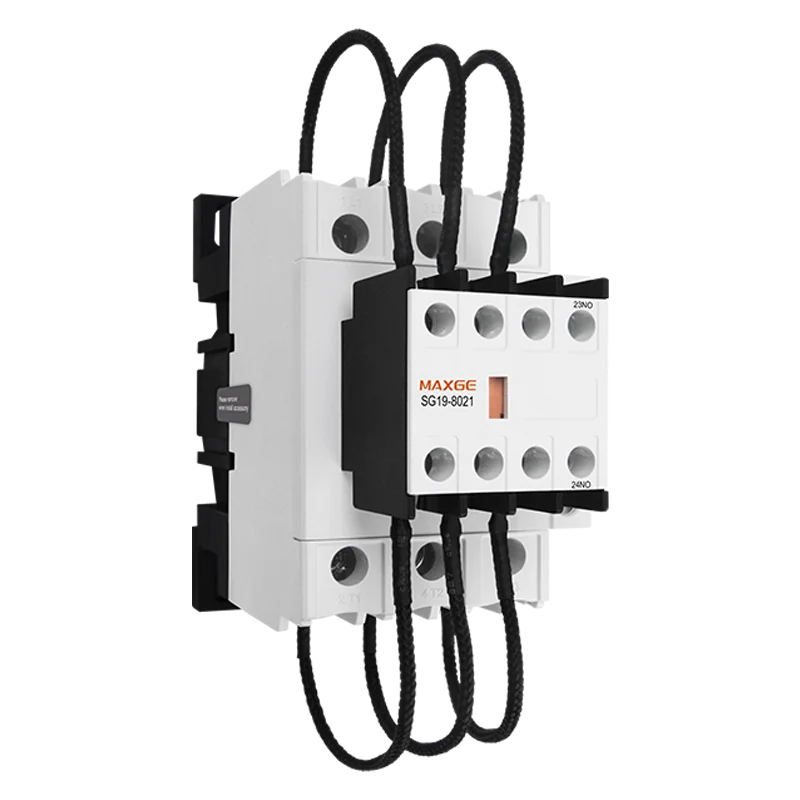
Motor control is a fundamental part of industrial machinery, and the motor contactor is one of the key components that makes controlled operation possible. Whether a system operates pumps, fans, compressors, conveyors, or other motor driven equipment, selecting the right contactor affects switching performance, protection coordination, maintenance, and overall system design.


For engineers and equipment purchasers, understanding how a contactor works and how it interacts with other electrical control products can make product selection more precise. This article explains the function of motor contactors, the role of a control contactor and low voltage contactor, and how they work with a thermal overload relay in practical motor control systems.


What Is a Motor Contactor?


A motor contactor is an electrically operated switching device designed to control the connection between a motor and its power supply. When the control circuit sends a signal to the contactor coil, the contacts close and allow current to flow to the motor. When the signal is removed, the contacts open and disconnect the motor from the supply.


Unlike a manual switch, a contactor can be controlled remotely and integrated into automated equipment. This makes it useful in machinery where motors need to start and stop frequently or operate according to a control sequence.


A typical motor control circuit separates the power circuit from the control circuit. The power circuit carries the motor current, while the control circuit determines when the contactor should operate. This arrangement allows relatively low power control signals to manage higher power motor circuits.


How Does a Control Contactor Work?


The basic operating principle of a control contactor is relatively straightforward. A coil creates a magnetic field when energized, causing the contact mechanism to move and change the state of the main contacts. When the coil is de-energized, the contacts return to their normal position.


This simple electromagnetic operation allows contactors to be incorporated into push button controls, automatic controllers, sensors, timers, and other equipment control systems.


When selecting a contactor, however, the physical size of the device should not be the primary consideration. Rated operational current, motor power, voltage, frequency, utilization category, switching frequency, and environmental conditions all need to be evaluated. Proper electrical specifications help ensure that the contactor can handle the intended motor load over its operating life.


Understanding Low Voltage Contactor Applications


A low voltage contactor is commonly used in motor control and other low voltage switching applications. In industrial machinery, the contactor needs to match the electrical characteristics of the motor circuit and the requirements of the control system.


The term “low voltage” does not mean that every contactor is interchangeable. Different models can have different ratings and intended applications. Engineers should check the rated insulation voltage, operational voltage, current rating, coil voltage, and applicable standards before making a selection.


For equipment manufacturers and system integrators, compatibility with accessories can also matter. Auxiliary contacts and other compatible components can expand the functions of a contactor and make it easier to integrate into a wider control circuit.


Why a Thermal Overload Relay Is Used With a Contactor


A motor contactor primarily provides switching. It should not be treated as a complete motor protection solution. For many conventional motor starters, a thermal overload relay is installed alongside the contactor to provide overload protection.


During normal operation, the relay monitors the motor current. If the motor experiences a sustained overload, the thermal mechanism responds and can open the control circuit, causing the contactor to disconnect the motor.


This combination is important because motors can experience abnormal conditions caused by excessive mechanical load, stalled operation, or other operating problems. Without appropriate overload protection, excessive current can cause motor heating and potentially shorten equipment service life.


The overload relay should be selected and adjusted according to the motor’s rated current and the requirements of the specific application. Proper coordination between the contactor and thermal overload relay is therefore an important part of motor starter design.


Selecting Electrical Control Products for Motor Applications


Choosing electrical control products should involve more than comparing individual specifications. The components need to work together as part of the same electrical system.


For a conventional motor starter, engineers may need to consider the motor contactor, thermal overload relay, short circuit protection, control switches, auxiliary contacts, and enclosure requirements. The motor’s rated power and current should be established first, followed by the appropriate electrical ratings for each component.


Operating conditions are equally relevant. Frequent switching, high ambient temperatures, dust, moisture, vibration, and limited installation space can all influence component selection.


It is also useful to consider the availability of compatible products and technical support. A consistent product range can simplify procurement, installation, maintenance, and replacement when equipment is deployed across multiple applications.


MAXGE Products for Motor Control Systems


MAXGE provides a range of electrical control products for motor control and industrial electrical applications. Its product portfolio includes AC contactors, thermal relays, motor protecting circuit breakers, magnetic starters, control switches, and related electrical components.


The combination of contactors and thermal overload protection can be used as part of conventional motor starter configurations, while additional protective and control components can be selected according to the requirements of the complete system.


For current product specifications, ratings, compatibility information, and available models, users can review the MAXGE product range.


Making Motor Control Selection More Practical

A motor contactor may be a relatively compact component, but its selection has a direct relationship with how a motor control system operates. Understanding the difference between switching and protection is especially important. The contactor manages the motor’s electrical connection, while a thermal overload relay provides protection against sustained overload conditions. In a complete motor control circuit, these functions also need to work with upstream circuit protection and the motor’s operating characteristics.

The most suitable electrical control products should therefore be selected according to the motor, load, electrical supply, operating environment, starting conditions, and control requirements. For industrial equipment, factors such as motor rated current, switching frequency, enclosure conditions, and maintenance access can affect the choice of contactor and overload protection. A straightforward and properly coordinated design can provide the required control and protection functions without adding unnecessary complexity.

MAXGE develops low-voltage electrical solutions for industrial control and protection applications, covering motor switching, overload protection, power distribution, and related control requirements. These capabilities also support electrical systems used in industrial production and new energy applications, where coordinated control and protection can be important to overall system operation.

For technical questions, product information, or assistance with application requirements, you can contact MAXGE directly.


0 comment
0 FacebookTwitterPinterestEmail

Buyers who source hand tools for electronics repair usually compare the same few points: bit quality, grip, how a kit is organized, and whether supply stays steady across repeat orders.


Jakemy, an independent precision screwdriver brand based in Foshan, Guangdong, publishes enough product detail to check each of those points against real specifications.


This article goes through the main features of jakemy tools, using figures taken from the brand’s own product pages, and explains what each feature means for distributors, repair service providers, and OEM buyers.


Source-Factory Production and Stock Capacity


Products under the Jakemy name are manufactured in-house by its source factory. According to the company, the factory has operated for more than 20 years and moved into automated production in the second half of 2018. It now runs more than 20 imported machines, and the warehouse can hold up to 60 days of inventory with a capacity of 8 million sets.


For a procurement team, these details answer two practical questions.


First, one manufacturer stands behind the bits, the handles, and the finished kit, so quality questions have a single point of contact. Second, a large stock buffer helps distributors reorder without waiting for a new production run. The brand also reports 50+ patented products, a modern factory of more than 5,000 m², and business in more than 70 countries and regions.


Bit Coverage Built Around Small Devices


Electronics repair rarely involves one screw type. A phone, a laptop, and a game controller can each use a different drive style, so bit range often decides whether a kit is useful on the bench.


The JM-8139, a 47-in-1 electronics screwdriver set, shows how jakemy tools approach this. Its CR-V bits cover Torx (T3 to T20), Hex (H1.3 to H5.0), slotted (1.5 to 3.5), Phillips (1.0 to 3.5), tri-wing Y2.0, U-shaped U2.6, pentalobe (0.8 and 1.2), and triangle 2.0.


Pentalobe screws are common on Apple devices, so these bits address real service cases. At the larger end, the JM-8192 is a 180-in-1 manual precision set with 144 CR-V magnetic bits and a multifunctional handle.


Handle Design and Magnetic Tips


Small screws are easy to drop and hard to find. On the JM-8139 page, Jakemy lists an ergonomic anti-slip handle together with magnetic tips that help pick up small screws. A secure grip supports steady, light pressure, which matters when a bit sits in a small screw head on a circuit board assembly.


Opening Tools Packed With the Screwdrivers


Many repairs start with opening the device. Several Jakemy kits therefore combine screwdriver bits with prying and handling tools. The JM-8139 includes a suction cup, a plastic triangle pry tool, a roller opening tool, a metal opening stick, 120 mm curved-tip tweezers, an H4 x 60 mm extension bar, a 30° craft knife, and a SIM eject pin.


The wider range supports this work as well. The JM-OP18 disassembly blade uses a 0.1 mm ultra-thin curved design for curved-screen devices. The JM-Z17 is an anti-static, heat-proof working mat with partitioned sections for sorting parts.


The JM-Z21 magnetizer can magnetize or demagnetize screwdriver bits in one second, and the JM-X5 magnetic wristband holds screws within reach during a job.


Electric Models With Torque Control


For higher-volume repair work, the brand also offers electric screwdriver sets. The JM-8196 is a 35-in-1 electric precision set with dual modes, adjustable torque, and TPU construction. The JM-8193 is a 180-in-1 electric torque set with 144 CR-V precision bits, three-speed smart torque control, and a real-time battery display.


Adjustable torque is useful on small fasteners, since too much force can strip a screw head or damage a plastic housing.


Compact Packaging for Storage and Shipping


Kit organization affects both the technician and the distributor. The JM-8139 ships in a compact storage box where each tool has a set position. Its listed size is 220 x 175 x 60 mm, with a single gross weight of 0.720 kg, and the carton holds 20 sets at a gross weight of 17.46 kg. The product page lists CE certification. Importers can use these figures to estimate freight volume and shelf space.


OEM and ODM Support


Jakemy also works with businesses that sell under their own labels. The company states that its brand is registered in 65 countries, that it maintains a development and design department, and that it releases independently developed products every quarter.


Its sales consultants also take on 3D drafting for custom requests, and details are confirmed before production begins. The JM-8139 page lists wholesale, OEM, and ODM service, and describes the set as suitable for repair tool distributors, e-commerce sellers, hardware suppliers, and professional repair providers.


How Buyers Can Evaluate a Kit


A few checks help when comparing jakemy tools with other options:


  • Match the bit list to the devices that customers bring in, not only to the headline piece count.
  • Review the specification table for bit material, dimensions, carton size, and certification.
  • Request samples, which the brand lists as available for the JM-8139, and test the grip and magnetic tips on actual devices.
  • Ask about customization if a private label, a different bit mix, or revised packaging is needed.


Final Thoughts


The key features of Jakemy products come down to a few concrete points: in-house manufacturing with stock capacity behind it, CR-V bits across many drive types, handle and magnetic tip design, bundled opening tools, torque-controlled electric options, and customization support for business buyers.


Readers who want to compare specific models can browse the full jakemy tools range for electronics repair and review each product’s specification table before requesting a quote.

0 comment
0 FacebookTwitterPinterestEmail

Payment services are becoming an important part of the digital relationship between telecom operators and their subscribers. Beyond connectivity, operators can use payments to support top-ups, digital services, merchant transactions, and broader financial experiences. For regional operators, however, the decision between a branded payment ecosystem and a standard third-party solution involves more than technology. It requires careful consideration of control, speed, security, localization, operating costs, and long-term business value.


What Is the Difference Between the Two Models?


A standard payment solution gives an operator access to established payment capabilities without requiring it to build the entire payment infrastructure itself. The provider typically manages core functions, integrations, security mechanisms, and parts of the operational environment. This approach can shorten deployment time and reduce the technical burden on the operator.


A white label payment platform, by contrast, allows the operator to present payment capabilities under its own brand and integrate them more closely with its existing customer experience. The distinction is therefore not simply about branding. It concerns how much control the operator wants over the customer journey, product roadmap, data, and payment ecosystem.


When Standard Solutions Make More Sense


Standard solutions can be attractive when an operator wants to launch payment services quickly or test demand before making a larger investment. Regional telecom companies may already have extensive network and customer-service responsibilities, making a ready-made payment infrastructure easier to manage.


This approach can also simplify access to established payment methods. Whale Cloud’s Alipay+ currently connects merchants with 50 leading mobile wallets and banking apps through a unified integration, covering more than 220 markets. Such connectivity demonstrates how standardized infrastructure can reduce the complexity of integrating multiple payment ecosystems.


For operators with limited fintech resources, white-labeling vs standard payment solutions therefore often starts with a question of organizational readiness. If speed and lower initial complexity are the priority, standard infrastructure may have a clear advantage.


Why Operators Consider White-Label Payment Platforms


A white label payment platform becomes more compelling when an operator wants payments to become a strategic extension of its telecommunications business. A branded wallet or payment experience can be incorporated into the operator’s application, loyalty programs, customer accounts, and digital-service ecosystem.


The model can also support deeper customer engagement. Alipay+ specifically identifies telcos as a target group for its Wallet Platform, noting that telecom operators can monetize their existing customer relationships through payment services. Its platform combines payment processing, risk management, cloud infrastructure, and other digital capabilities.


Security Should Shape the Decision


Payment services introduce risks that differ from conventional telecom transactions. Account takeover, abnormal transaction behavior, stolen payment credentials, and other forms of fraud can directly affect customer trust. A regional operator therefore needs to evaluate the payment provider’s security architecture rather than focusing only on interface customization.


Alipay+ describes real-time fraud prevention based on risk patterns, device intelligence, network analysis, and adaptive security. Its Wallet Platform states that its risk technology can analyze hundreds of risk patterns, while its broader payment infrastructure uses encryption, tokenization, real-time risk scoring, and biometric authentication at the wallet layer.


Authentication also needs to match the risk. Whale Cloud‘s Alipay+ security guidance recommends identity verification using methods such as passwords and biometrics, while risk controls can trigger additional verification or transaction restrictions when abnormal behavior is detected.


Localization Can Outweigh Branding


For regional telecom operators, local payment behavior can be more important than having a highly customized interface. Customers may prefer particular wallets, QR schemes, bank cards, or account-based payment methods depending on the market.


This makes white-labeling vs standard payment solutions partly a question of interoperability. A branded experience has limited value if customers cannot use the payment methods they already trust. Alipay+ supports QR and NFC payments and connects multiple regional wallets and payment providers, illustrating how connectivity can complement a branded digital experience.


Evaluating Cost, Control, and Scalability


Operators should compare total operating requirements rather than only initial implementation costs. A standard solution may reduce development work but provide less control over product customization. A white label payment platform can provide greater ownership of the customer-facing experience, but it may require stronger internal capabilities for product management, compliance coordination, customer support, and commercial operations.


Scalability is another consideration. A solution suitable for a single regional market may need additional integrations when an operator expands into neighboring countries. Cloud-based infrastructure and multi-market payment connectivity can reduce the need to redesign the entire payment architecture as the business grows.


A Practical Decision Framework


The choice in white-labeling vs standard payment solutions should ultimately follow the operator’s strategic objectives. Operators prioritizing rapid market entry, limited customization, and reduced internal complexity may find standard solutions more appropriate.


Those seeking to build a differentiated digital ecosystem may favor a white label payment platform, particularly when payments are expected to become a long-term customer engagement and monetization channel. The strongest approach should also provide robust risk management, flexible integrations, and the ability to support local payment preferences.


Whale Cloud provides digital technology solutions for telecom operators and enterprises, supporting digital transformation and the development of connected service ecosystems. For organizations evaluating payment strategies, its technology capabilities can provide a foundation for exploring more integrated digital-service models.


0 comment
0 FacebookTwitterPinterestEmail

Research on metabolic diseases requires careful planning because animal studies involve both scientific questions and ethical responsibilities. Obesity, diabetes, and related disorders are complex conditions influenced by metabolism, genetics, environment, and lifestyle factors. Before new therapies move forward, researchers need suitable models and clear study standards.

The use of animals in biomedical research requires attention to regulations, welfare management, and scientific value. Ethical practices help research teams obtain meaningful data while following accepted principles for responsible experimentation.


Understanding Regulatory Requirements for Metabolic Disease Studies

Regulations for metabolic disease research focus on animal welfare, facility management, study design, and experimental procedures. Research organizations usually need to follow institutional guidelines and review processes before beginning studies involving animals.

Animal welfare committees evaluate whether a planned study has clear scientific goals and whether the number of animals and procedures are appropriate. Researchers also need to consider housing conditions, monitoring methods, and humane endpoints during the research process.


Selecting Suitable Models for Obesity Research

Choosing suitable models is an important step in metabolic disease studies. Different models may represent different aspects of human conditions, so researchers need to match model characteristics with specific research goals.

Animal models of obesity are used to study changes related to body weight, metabolism, insulin response, and treatment effects. Common approaches include diet-induced models and genetic models, depending on the mechanism being investigated.

Model selection also affects data interpretation. A study focused on metabolic changes may require different evaluation methods from a project examining liver-related complications. Researchers often combine biochemical analysis, pathology assessment, and imaging data to understand treatment responses.


Applying Ethical Principles in Experimental Design

Ethical research follows the principles of replacement, reduction, and refinement. These principles encourage researchers to consider alternative methods, use appropriate study numbers, and improve procedures that involve animals.

In metabolic research, detailed planning can reduce unnecessary experiments. Clear objectives, suitable endpoints, and professional animal care help research teams collect useful information while maintaining responsible practices.

Researchers also need to review experimental procedures before each project begins. Factors such as sample collection methods, observation frequency, and environmental conditions may affect both animal welfare and research outcomes. A structured design helps balance scientific needs with ethical considerations.


Reviewing Disease Model Resources and Study Support

Access to validated models and technical support can influence the quality of preclinical research. Different projects may require customized approaches based on disease mechanisms, candidate compounds, and evaluation targets.

Jennio Biotech provides preclinical metabolic disease animal models using mice and rats for obesity, type 2 diabetes, NASH, and liver fibrosis research. They support study design, efficacy evaluation, pathology, biochemical analysis, and imaging endpoints for translational drug discovery. Their service approach focuses on matching models with specific research requirements.

These models can support studies that need observations beyond a single measurement. For example, researchers may evaluate metabolic indicators together with tissue changes to understand how a candidate performs during early development stages.


Improving Data Quality Through Integrated Evaluation

Metabolic disease studies often face challenges because human conditions involve multiple biological factors. Traditional models may not fully represent disease progression, while single evaluation methods may provide limited information.

Researchers studying animal models of obesity may combine different readouts to review metabolic changes, tissue conditions, and treatment responses. Integrated analysis can provide a broader view of candidate performance during early research stages.

For example, obesity studies may examine body weight changes together with glucose metabolism, inflammation markers, or liver-related indicators. These combined observations can help researchers understand how a candidate affects different biological pathways.


Considering Compliance in International Research Collaboration

When research projects involve different regions, documentation and quality management become important considerations. Standardized procedures, clear records, and transparent reporting can support communication between research teams.

Compliance considerations also involve facility management, staff training, and data organization. These elements help research partners review study processes and understand how experimental results were generated.

Jennio Biotech works with researchers and organizations that need preclinical study support for metabolic disease projects. They provide model-related services and research evaluation options based on project needs. Their work covers different study stages, helping partners organize experimental plans with scientific considerations.


Balancing Scientific Goals and Ethical Responsibility

Researchers developing metabolic therapies need to consider both experimental value and ethical requirements. A suitable model should connect with the research question while allowing investigators to collect meaningful observations from planned studies.

The evaluation process may include multiple stages, from model establishment and treatment administration to sample analysis and report preparation. Careful coordination between scientific teams and research service providers can help maintain consistency throughout the project.

A clear understanding of regulations also helps organizations prepare for future development steps. When researchers select models based on disease characteristics and study objectives, they can build a more practical foundation for preclinical evaluation.


Moving Toward Responsible Metabolic Research

Ethics and regulations are important parts of obesity and metabolic disease research. Appropriate model selection, careful study design, and responsible animal management contribute to reliable preclinical investigation.

By considering scientific requirements and ethical standards together, researchers can make better decisions during drug development. Animal models of obesity remain an important research tool, and their value depends on proper application, evaluation methods, and responsible practices.

0 comment
0 FacebookTwitterPinterestEmail

Choosing a 3D scanner for industrial inspection is rarely just a matter of selecting the smallest accuracy number on a specification sheet. Manufacturers, quality teams, and engineering service providers must consider part size, tolerance requirements, surface geometry, inspection speed, and accessibility. A handheld 3D scanner can be highly effective across these conditions, but its capabilities need to match the measurement task rather than simply exceed every possible requirement.


Accuracy Should Match the Measurement Tolerance


Accuracy is one of the first specifications buyers compare, but it should be interpreted in relation to the tolerance being inspected. A component requiring general dimensional verification does not necessarily need the same scanner capability as a precision-machined part with extremely tight tolerances.


Industrial metrology suppliers commonly distinguish between single-measurement accuracy and volumetric accuracy. The latter becomes especially important when multiple scans are combined across larger components. ZEISS, for example, describes volumetric accuracy as a key consideration for handheld scanning performance.


For B2B buyers, the practical approach is to define the allowable measurement error first. A handheld laser 3D scanner should then be evaluated against that requirement under conditions similar to the intended application.


Three Practical Accuracy Tiers for Industrial Work


A useful purchasing framework is to divide scanning requirements into three broad tiers: general-purpose dimensional capture, detailed inspection, and high-precision metrology. These are application categories rather than universal industry standards.


The first tier suits reverse engineering, general quality checks, dimensional documentation, and larger components where tolerances are comparatively moderate. Speed, ease of operation, and coverage can be more valuable than pursuing maximum possible accuracy.


The second tier targets components with tighter dimensional requirements, intricate surfaces, and features that need more detailed comparison against CAD data. Here, a handheld 3D scanner needs sufficient resolution and repeatability alongside its stated accuracy.


The highest tier is intended for demanding metrology applications where very small deviations matter. Commercial systems demonstrate that handheld equipment can reach accuracy levels measured in hundredths of a millimeter, but buyers should also examine acceptance testing, calibration procedures, and applicable standards rather than comparing accuracy figures alone.


Match Laser Configuration to the Geometry


Accuracy is only one part of scanner performance. Laser configuration can determine whether the system can efficiently capture the geometry that matters.


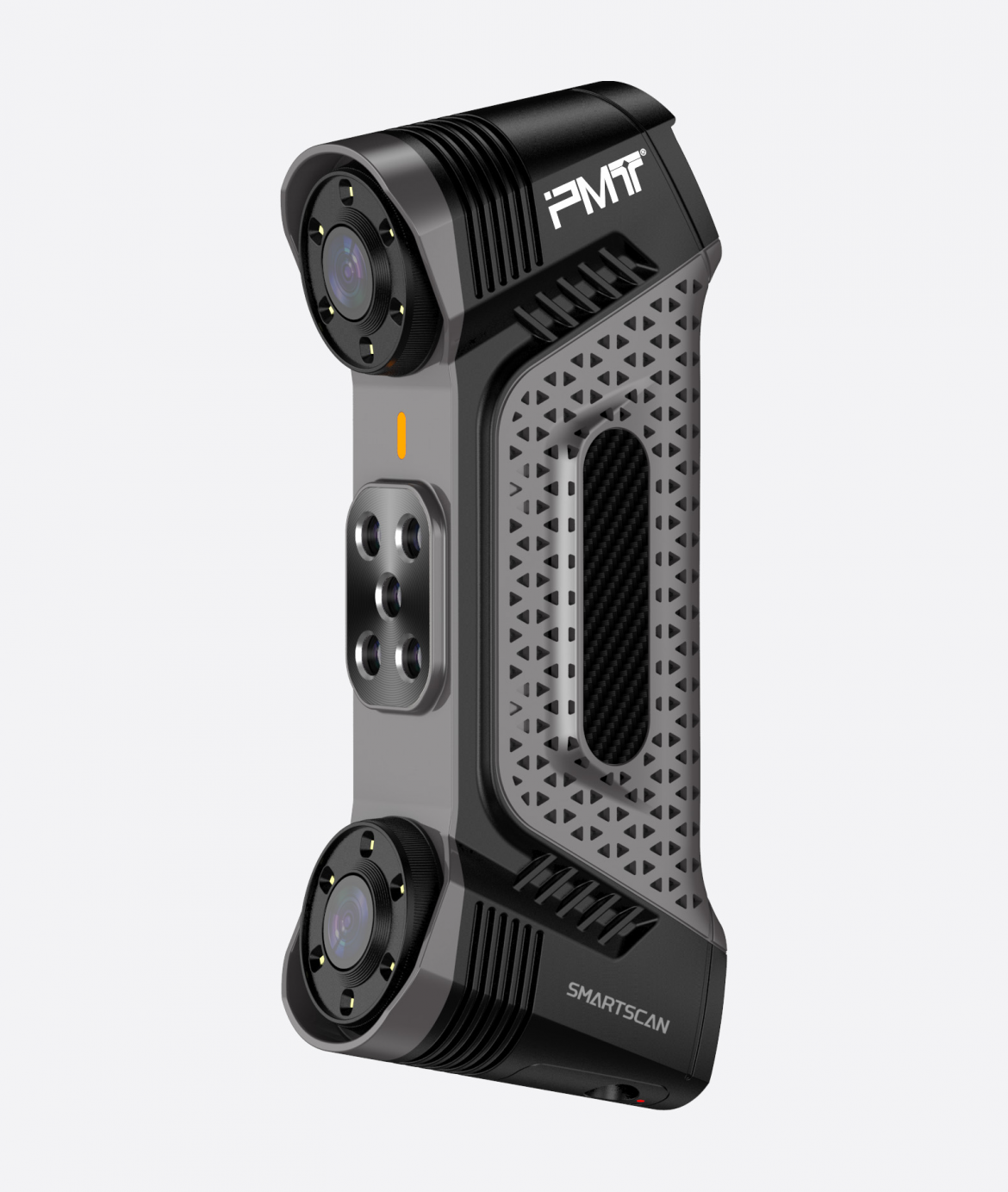
For large surfaces and relatively broad workpieces, multiple laser lines can cover more area during each scanning movement. The PMT SMARTSCAN handheld 3D scanner, for example, uses 51 blue cross laser lines and can capture a scanning area of up to 700 × 600 mm in a single pass. This configuration is suited to accelerating point-cloud acquisition across large surfaces and complex workpieces.


Fine geometry calls for a different approach. SMARTSCAN uses seven parallel blue laser lines to capture intricate geometries, fine grooves, and delicate surface features. Its SkyForm processing system handles point-cloud data in real time to generate dense 3D models for inspection and analysis.


Deep or restricted geometry presents another challenge. A broad scanning pattern may struggle to reach narrow cavities effectively. SMARTSCAN therefore incorporates a single blue laser line designed for deep holes, narrow cavities, and other difficult-to-access internal features.


Consider Workflow, Not Accuracy Alone


A technically impressive scanner can still be a poor investment if it slows down production inspection. Manufacturing teams often need to capture complete surface data quickly, compare it with CAD models, and make decisions without moving components to a dedicated measurement room.


Modern handheld systems are increasingly designed around this shop-floor workflow. ZEISS notes that handheld 3D scanners can support inspection, reverse engineering, maintenance, and product development, while other industrial suppliers emphasize portability and rapid data capture.


Consequently, a handheld laser 3D scanner should be evaluated according to the complete inspection cycle: setup, scanning, data processing, alignment, analysis, and reporting. A slightly lower headline accuracy can sometimes deliver greater business value when it substantially improves inspection throughput.


Build the Specification Around the Job


The most appropriate scanner is therefore not necessarily the one with the highest advertised accuracy. A supplier evaluating automotive components, castings, tooling, fabricated structures, or maintenance parts should first identify the smallest feature and tightest tolerance that genuinely affects the decision.


Part size also matters. Large components may introduce volumetric accuracy considerations as scans are combined, while complex parts can place greater demands on tracking and accessibility. Surface characteristics, environmental conditions, operator experience, and calibration practices should also be considered when assessing real-world performance.


This application-led approach makes specification comparisons more meaningful. Instead of paying for capabilities that remain unused, purchasing teams can prioritize the accuracy, laser configuration, coverage, and processing performance that directly support their inspection objectives.


Choosing the Right Tier for Long-Term Value


For companies evaluating a handheld 3D scanner, the strongest buying decision usually begins with the job rather than the equipment. General dimensional work may prioritize coverage and speed, detailed inspection may require stronger fine-feature capture, and demanding metrology applications may justify substantially higher accuracy and traceability.


PMT‘s SMARTSCAN illustrates how different laser configurations can address different industrial measurement challenges within one handheld platform. Its 51 cross laser lines support broad-area scanning, seven parallel lines address fine details, and a dedicated single line reaches deep and narrow geometries. For B2B users comparing scanning solutions, this combination provides a practical example of why matching scanner capabilities to the actual inspection task is more valuable than pursuing specifications in isolation.


0 comment
0 FacebookTwitterPinterestEmail

Customer engagement does not always require a massive video wall. For many retail stores, corporate spaces, galleries, hospitality venues, and other commercial environments, a strategically positioned small LED screen display can communicate information at the exact point where customers make decisions. Its value comes from combining visual impact with proximity, relevance, and flexible content, turning otherwise overlooked spaces into useful communication opportunities.


Why Smaller Displays Can Create Bigger Engagement Opportunities


Large screens naturally attract attention, but size is only one factor in effective digital communication. A smaller display can be placed closer to products, reception desks, counters, shelves, or customer waiting areas, allowing businesses to deliver information when it is most relevant. Samsung’s retail guidance similarly highlights smaller displays positioned around merchandising shelves and tables as tools for product information and digital headers.


This proximity changes how customers interact with content. Instead of simply noticing a large advertisement from a distance, a customer standing near a product can see detailed information, promotional messaging, demonstrations, or complementary recommendations. A micro LED display can therefore serve a more focused role within the customer journey rather than competing for attention across an entire room.


A Small LED Screen Display Can Guide Decisions


Customer engagement is closely connected to useful information. Digital signage can answer questions before customers need to ask an employee, provide additional product details, and guide visitors toward relevant services. This is particularly useful in environments where customers may spend several minutes browsing or waiting.


A small LED screen display can highlight specifications, explain product benefits, promote limited-time offers, or introduce related products. Content can also be changed according to time, season, inventory, or promotional campaigns. Such flexibility helps businesses keep communication current instead of relying on printed materials that become outdated.


Close Viewing Makes Image Quality More Important


Small-format displays are often installed where viewers stand relatively close to the screen. That makes image clarity particularly important. Coarse pixel structures that appear acceptable from a distance may become more noticeable when customers are only a few meters—or less—from the display.


A fine-pitch micro LED display can address this requirement by providing a denser visual structure suited to close viewing. For premium corporate environments, studios, control rooms, and luxury retail spaces, visual consistency can influence how customers perceive the overall quality of the brand environment.


Content Should Match the Customer’s Context


Hardware alone does not create engagement. The message displayed, its timing, and its relationship to the surrounding environment determine whether customers pay attention. Digital signage can combine images, text, video, promotions, and educational content, allowing businesses to create more relevant communication at different points in the customer journey.


For example, a retailer could use a display near a product category to explain key features, while a hotel might promote dining or wellness services near its reception area. A corporate lobby could use a micro LED display for brand storytelling, company information, event announcements, or welcome messages. Each application gives the screen a specific purpose rather than making it another generic advertising surface.


Brightness Matters in Commercial Environments


Ambient lighting can significantly influence display visibility. A screen positioned near windows, in a brightly illuminated lobby, or under strong indoor lighting needs sufficient brightness to maintain visual impact without producing distracting glare.


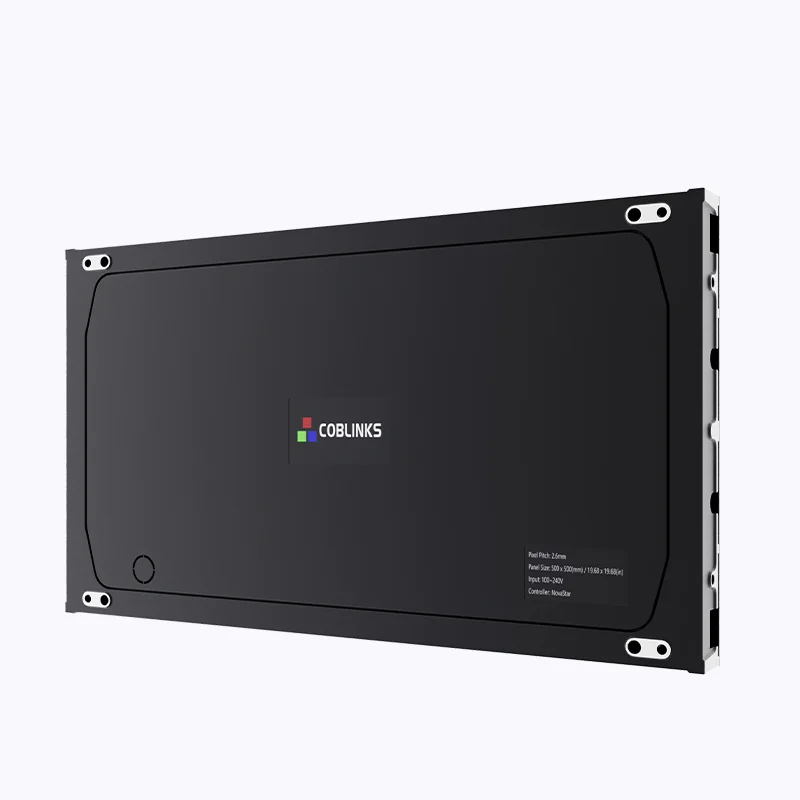
The Coblinks CM-S Series is designed for premium indoor fixed installations and uses semi-outdoor brightness levels to address strong ambient light. This makes the series suitable for environments such as brightly lit lobbies, galleries, and sunlit retail spaces where maintaining vibrant visuals can be challenging.


Precision and Slim Design Support Premium Spaces


Physical integration also affects customer perception. A display that dominates its surroundings or requires excessive installation depth can conflict with carefully designed commercial interiors. Slimmer hardware can make digital content easier to integrate into architectural environments while preserving visual prominence.


The Coblinks CM-S Series has a 41mm slim profile and offers pixel pitches from 0.9mm to 1.8mm. Its 4-in-1 technology is designed to produce a smoother, more coherent image with reduced graininess, making it particularly relevant to close-viewing applications such as boardrooms, studios, and control rooms.


Turning Digital Signage Into a Customer Touchpoint


Businesses can gain more from a small LED screen display when it is treated as part of a broader engagement strategy. Content management, placement, customer behavior, and campaign objectives should be considered together. Digital signage can support promotions, education, wayfinding, product discovery, and brand communication rather than being limited to advertising.


This also makes measurement possible. Businesses can compare customer traffic, dwell time, conversions, or campaign responses around different display locations. Current digital-signage guidance recommends defining objectives, auditing the physical site, planning content, and considering scalability before deployment.


Coblinks CM-S Series for Close-Viewing Applications


Coblinks is a technology-driven LED display manufacturer specializing in indoor and outdoor fixed-installation and rental displays, supported by complete SMT production lines and advanced manufacturing equipment. Its CM-S Series is positioned as a professional micro LED display for premium indoor fixed installations.


With 0.9mm to 1.8mm pixel pitches, a 41mm slim profile, 4-in-1 technology, and semi-outdoor brightness levels, the CM-S Series is designed for applications where visual precision and environmental integration matter. It can serve corporate lobbies, broadcast studios, command centers, galleries, and retail spaces that demand high-quality close-range visuals.


Making Every Display Space More Valuable


Small displays can make customer communication more precise because they place relevant content closer to the people who need it. A well-positioned micro LED display can support product education, promotions, brand storytelling, and service information, while a small LED screen display can transform shelves, counters, lobbies, and waiting areas into active engagement points.


Coblinks provides professional LED display solutions for businesses seeking high-quality visual communication and customized applications. Companies planning premium indoor installations can contact Coblinks to discuss the CM-S Series and select a display configuration suited to their viewing distance, ambient-light conditions, installation environment, and customer engagement objectives.

0 comment
0 FacebookTwitterPinterestEmail
Newer Posts